Here's a keys phrase with a bandmate who plays everything you play, a little late. Right now they're 130 milliseconds behind. Press play.
Move Time from 130 ms to 250 ms, then to 500 ms. The copy is later each time. Does it sound more wrong, or less?
A bandmate who answers late
At 130 ms the copy sounds like a mistake: two players who can't agree where the beat is. Now push it later. At 250 ms it turns into an echo that sits in the groove. At 500 ms, a full beat behind at this tempo, it sounds less like an error and more like someone answering you.
If you were building a model to play along with you, would you make it answer as fast as possible?
Why can't a model answer instantly?
Because it hasn't heard you yet. To respond to a note, a model needs the note, and a note takes time to arrive, to be heard and to be answered. Every live system, from a guitar pedal to a generative model, has a latency budget: the time between you doing something and the sound coming back.
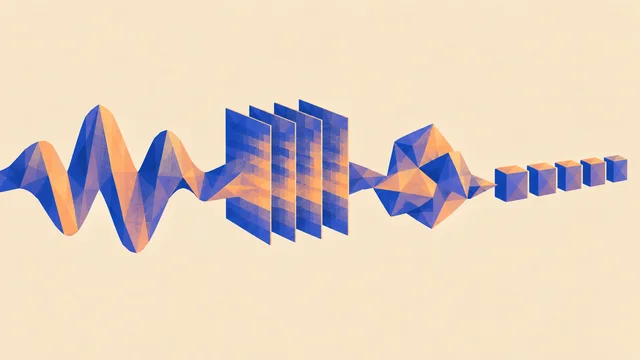
For a model that makes audio, that budget has three parts:
- Listening. Your playing reaches the computer in small chunks called buffers. At 48 kHz, a buffer of 512 samples holds about 11 ms of sound, and nothing happens until it's full.
- Thinking. The model makes its output in steps too. Many live models work in short frames: Magenta RealTime 2, an open music model from Google, makes 40 ms of stereo audio per step. Each frame has to be finished before the speaker needs it, or you hear a dropout.
- Playing back. The output goes into another buffer on its way to your speakers.
One note through a live model
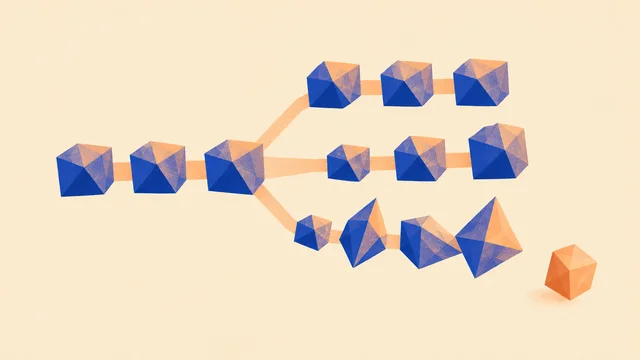
That's the shape of streaming generation, as ML people call it: the model never writes a whole song and hands it over. It keeps producing short frames, one after another, each one based on what came before and on what you're playing now. A model that can make each frame faster than it takes to play is said to run in real time. That's a minimum, not a guarantee that it feels good to play with.
The computer has strict rules about how those buffers are filled: the audio side can't wait for a slow model, which is why real-time code is built so the sound never stops to wait. If the model misses its deadline, you get a gap, not a late note.
Late by a beat, not by a blink
Back to the lab. Your ear forgave 500 ms and complained about 130 ms. The difference isn't how late the copy was. It's where it landed. At 130 ms it fell between beats, in no musical place. At 250 ms and 500 ms it landed on the grid, so it sounded intended.
Human bandmates work this way all the time. A bassist on a big stage hears the drummer a few milliseconds late just from the distance, about 3 ms per metre, and plays to the beat they expect rather than to the sound they just heard. A jazz soloist doesn't answer the piano's phrase the instant it ends. They wait for the next bar and come in there.
So the most useful trick for a live model is lookahead by the music, not by the clock. Instead of trying to respond in 10 ms, it listens to what you play in this bar and answers in the next one. Its delay is now a whole bar long, but it's a bar long on purpose, and the answer lands where answers belong.
Taking turns by the bar
This only works if the model knows where the bar is. That's why live systems lean on a shared tempo, a click or a beat tracker that finds the pulse in what you play. Without a grid, "the next bar" means nothing.
What does the model listen to?
A live model doesn't hear "you". It hears whatever it was built to take in, and that choice shapes the whole jam. ML people call this conditioning: the inputs that steer what the model makes.
- Notes. Many systems listen to MIDI: which keys you press, when and how hard. That's precise and fast, and it means the model knows your chord, but not your tone or your bends.
- Audio. Some listen to the sound itself. They can follow a voice or a guitar, at the cost of more listening time and more guessing about what the notes were.
- A style or prompt. Most also take something that sets the character, such as a genre, a mood or an instrument, often chosen before you start.
And the output can be notes or sound. A model that answers in MIDI gives you something you can edit, quantize and send to any instrument, which is the strength of models that generate notes. A model that answers in audio gives you a finished sound, with all the texture and all the unpredictability of audio generation, and nothing to edit afterwards.
Maru's Accompanist is one small experiment in this space: it listens to MIDI notes and a chosen style and makes stereo audio with Magenta RealTime 2. Even there, the notes you play guide the harmony rather than fix it. A conditioned model leans towards what you gave it. It doesn't promise to obey.
Call and response, or a band behind you?
There are two main ways to play with a model, and they need different things from it.
Call and response is taking turns. You play a phrase, the model answers, you answer back. It's one of the oldest shapes in music, from work songs and gospel to a trading-fours jazz solo, and it's forgiving: each side has a whole phrase to listen before it plays. Research systems were doing this long before today's models. In the early 2000s, François Pachet's Continuator, built at Sony CSL, played back a player's phrases in their own style. In 2016 A.I. Duet, by Yotam Mann with Google's Magenta team, answered a phrase played on the keyboard. What you get back is something to steer and edit rather than accept, and Jam with a model works through that turn by turn.
Continuous accompaniment is a band behind you: the model plays all the time and follows your changes. It's harder, because there's no gap to think in. The model has to guess what you'll do next and fix its guess as you go. Score-following systems such as Christopher Raphael's Music Plus One have done a version of this for classical soloists for years, adjusting an orchestra's timing to the player. Generative models add the harder part: making up the accompaniment, not just following a score.
For a first jam with any model, start with call and response. Take turns of one or two bars. Once you trust its timing, try letting it play underneath you.
Keep your hands on the wheel
A bandmate who never stops is a problem, however good they are. Before you start, know how to do four things:
- Stop. One move that silences the model instantly, like muting its channel. A model can take a moment to finish a frame or forget a phrase; your stop shouldn't.
- Steer. The one or two controls that change its direction the most: a style, a "temperature" that makes it safer or wilder, how closely it follows your notes.
- Quantize. If it answers in notes, snapping its answer to the grid can make a late, slightly loose reply sit in time. If it answers in audio, choose turn lengths that land on bars instead.
- Reset. Live models remember the last few seconds, their context. If a jam drifts somewhere you don't like, clearing that memory is faster than arguing with it.
Rehearse these before you play for anyone. The moment you need a stop is never the moment to look for it.
Where it breaks
- The model hears itself. If its output reaches your microphone and goes back in, it starts answering its own answers, and the jam spirals. Keep its sound out of what it listens to.
- Short memory. A live model's context is usually seconds long. It can follow a groove, then forget the chorus you played a minute ago, the same limit note models have over a few bars.
- Drift. If the model's clock and yours disagree, its answers slide off the bar a little more each turn. One shared clock fixes that, the same as for a looper and a drum machine that drift apart.
- Missed deadlines. When the computer can't keep up, you hear gaps, crackles or a sudden silence. A smaller model, a longer turn or a faster machine helps; turning up the creativity doesn't.
None of this is a reason not to play with a model. It's the same list of things a band learns about each other in its first rehearsals.
Make it yours
Plan a short jam before you play it. You can do this with a generative tool, with a looper standing in for the model, or with a friend who agrees to only answer you.
How long is each turn, who leads, and what will you do when it goes somewhere you don't like?
Jam plan
0 of 4 done · saved in this browser
Then play it three times. Keep the turn length fixed, and change only your steering move each time. Record the third run if you like it. The plan is the useful part to keep: it works with the next tool you try, too.
Quick check
- A model answers your keyboard phrase 300 ms late, and it sounds sloppy. Someone suggests a faster computer. What else could you try? Make the lateness musical. At 100 BPM a beat is 600 ms and a bar is 2.4 s, so ask it to answer on the next beat or bar instead of as soon as it can. Faster hardware shrinks the delay; landing it on the grid makes it sound intended.
- You want the model to keep a steady groove going under a long solo. Call and response or continuous accompaniment? Continuous accompaniment, and expect it to be harder: it has no gaps to listen in, so it has to predict you. Shorter, clearer changes in your solo will help it follow.
- Halfway through a jam the model starts repeating its own phrases and ignoring yours. What's the first thing to check? Whether its output is getting back into its input, through a mic or a routing loop. If it's hearing itself, it's answering itself. After that, reset its memory.
Next steps
- Go deeper: Beat and tempo tracking. "Answer on the next bar" only works if the model knows where the bar is. Here's how a machine finds the pulse, and where it loses it.
- Use it: Jam with a model. Put the plan into practice: play a part and let a model answer it, turn by turn.
- Sideways: Neural instruments and timbre transfer. Instead of a model that answers you, a model you play: the instrument's sound itself comes from training.