Three sounds, matched in loudness: a solo cello, a string section and a synth pad. Listen to each one.
Before you read on: which two of these three are most alike? Then ask yourself what you meant by alike.
Which two belong together?
ReplayMatched by integrated loudness over each whole clip: louder versions are turned down to the quietest one.
Which two did you pick? If you said the cello and the string section, you were listening for what made the sound: bows on strings. If you said the string section and the pad, you were listening for what the sound does: a wide, soft bed you'd put under a vocal. Both answers are right. They're answers to different questions.
A model that sorts or searches sounds has to pick one of those questions, and it picks when it's built, not when you use it. That's the thing to understand about every "smart sort", "find similar" or "search by words" feature. It doesn't know what similar means to you. It knows what similar meant to whoever trained it.
Three kinds of answer
When a model listens to one sound and tells you something about it, the answer comes in one of three shapes. Each one answers a different musical need.
One sound, three kinds of answer
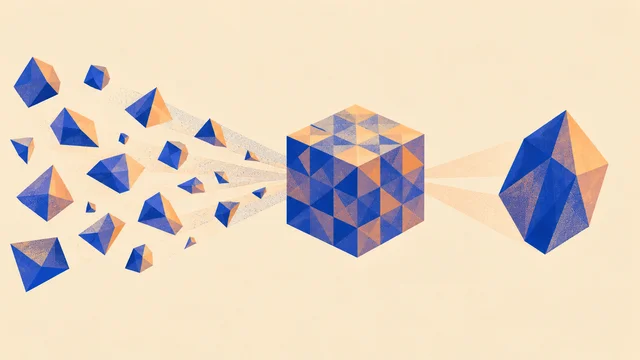
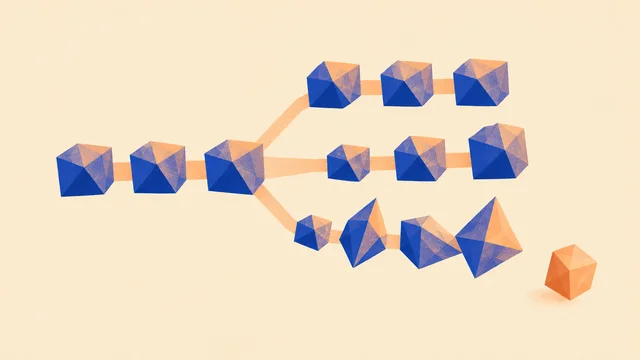
Classification answers "which one of these is it?". The model has a fixed list (kick, snare, hat, clap, tom) and picks one. It's what you want for sorting a drum folder into drawers. Its weakness is that it must pick from the list. Play it a cajón, and if "cajón" isn't on its list, it'll call it a kick or a snare with a straight face.
Tagging (the field says multi-label classification) answers "which of these words fit?". Every tag gets its own score, so a sound can be "punchy" and "distorted" and "vintage" at once. That suits descriptions of character and mood, where one word is never enough.
Embedding answers a different question: "where does this sit among all the others?". The model turns each sound into a short list of numbers, a position on a map with many more directions than the two on your screen, arranged during training so that sounds which seem alike end up close together. There's no label at all. That's what powers "find more like this": take the position of your sound and return its nearest neighbours.
Same idea, different place: an embedding is a cousin of the latent codes in How models see audio. Both squeeze a sound into a few numbers. A latent keeps what's needed to rebuild the sound; an embedding keeps what's needed to compare it, and throws away the rest.
Walk across a similarity map
Here's a real similarity map you can play. This instrument, Granular, chops a guitar recording into slices about a tenth of a second long and places every slice on a map, so that slices with similar sound features sit near each other. Hold the note, then move around the map.
Move Map X slowly, then jump to the far side. Do nearby spots sound alike? Now change Embedding. Which sounds become neighbours?
Walk the map
Embedding
Small steps change the sound a little; big jumps change it a lot. That's the whole promise of an embedding, and you can hear it working.
Switch Embedding from Spectral to Transient. The slices are the same, but the map has changed. Spectral groups slices whose balance of low and high frequencies matches; Transient groups slices whose attacks match. A soft ringing tail and a sharp pick of the same note might be neighbours on one map and strangers on the other. Change what you measure, and you change what "alike" means.
This map is built from sound features measured directly, like brightness and attack sharpness. The embeddings inside big search tools learn their numbers from huge collections of sounds instead, but the idea is the same: a position, a distance, and a choice, made in advance, about which differences count.
Search with words
Some tools let you type "dusty vinyl kick" and get back kicks that sound dusty. How does a model connect words to sound?
The usual trick is a shared map for text and audio. A model is trained on a large collection of sounds, each paired with a description someone wrote. It has two halves: one turns sounds into positions, the other turns text into positions on the same map. Training pulls each sound towards its own description and pushes it away from the others. After enough pairs, "dusty vinyl kick" as text lands in roughly the same neighbourhood as dusty vinyl kicks as sound. Research models built this way are often called CLAP-style models, after contrastive language-audio pretraining (no relation to the CLAP plugin format).
Words and sounds on one map
The same map gives you tags for free. To ask whether a sound is "warm", place the word "warm" on the map and measure how close the sound is. That's called zero-shot tagging: no one trained the model on a "warm" label, but it can still score one.
It also tells you where text search will let you down. The model learned words from the descriptions it was trained on. If those were written by sound-library editors in English, it knows "punchy" and "lo-fi" well, and it may know nothing useful about "gamaka" or "swung like Dilla". A word it rarely saw lands somewhere vague, and the results come back vague too.
Sort a sample folder in three passes
The three kinds of answer fit together well when you face a folder of a few thousand files and a track waiting to be finished. Each pass answers a question you actually have.
- Drawers first: classify. Kicks, snares, hats, claps, percussion, everything else. This is the job models do most reliably, and it turns a wall of file names into something you can browse. Glance through each drawer for strays; the "everything else" pile is where interesting sounds hide.
- Character second: tag. Within the snares, which are tight, roomy, lo-fi, electronic? Tags help you narrow forty snares to six worth hearing. Treat them as a shortlist, not a verdict.
- Neighbours last: search by similarity. Found a snare that's nearly right? Ask for its neighbours, and listen to the range around it: slightly brighter, slightly shorter, slightly dirtier. This is where you'll often find the one.
The order matters. Similarity search on a whole unsorted folder can return a hi-hat as the nearest neighbour of a snare, because both are bright bursts of noise. Narrow the drawer first, and "near" starts to mean something useful.
Why some labels are fuzzy
Some labels are close to facts. Whether a one-shot is a kick or a hi-hat, most people agree, and models do well. Others never were facts:
- Mood. "Sad", "dark" and "uplifting" depend on the listener, the culture and the song around the sound. The habit of hearing minor as sad, shared by many listeners raised on Western pop, isn't shared everywhere.
- Genre. Genres overlap, split and get renamed every few years. A track can be house and disco and neither.
- Instrument, outside the list. A model trained on a Western band has no drawer for a kora or a sheng. It will answer anyway, with the nearest drawer it has.
A score of 0.7 on "sad" doesn't mean the track is 70% sad, or that it's sad with 70% certainty. It means the model's habits put it fairly high on that tag, compared with the music it learned from. Read scores as ranks ("sadder than these, less sad than those"), not as truths.
Same idea, different place: a chord detector runs into the same fuzziness from another side: one moment of music can honestly be two chords at once. Chord and key recognition shows why the best answer is often two answers.
Near isn't the same job
Back to the cello, the strings and the pad. A similarity search usually listens like your first answer: what made the sound, what it sounds like up close. A mix needs your second answer: what the sound does.
That gap shows up all the time:
- Two neighbours, two jobs. A shaker and a closed hi-hat can sit side by side on a map: short, bright, noisy. In a groove, one carries the shuffle and the other marks time, and swapping them changes the feel.
- Two strangers, one job. An 808 kick and a sub-bass note may sit far apart, one a hit and one a held tone, yet they compete for exactly the same space in a mix.
- The best replacement isn't the closest. When a snare doesn't sit in your track, the nearest neighbour is, by definition, the sound that's most like the one that doesn't work. Sometimes you need the sound that's different in the one way that matters: shorter, darker, with less room.
Our take: use similarity search to explore, not to decide. It's brilliant at "show me twenty more like this so I can hear the range". It's poor at "pick the one that will work here", because only your track knows what the job is. Kits work the same way: Moodbox names its sixteen pads by role (kick, snare, clap, hat), because a kit is a set of jobs before it's a set of sounds.
Where it breaks
Taggers and similarity search fail in a few predictable places. Knowing them saves you from trusting a tidy result.
- Processed and layered sounds. A snare layered with a clap and drenched in reverb may get tagged as "clap", "snare" and "ambience" all at once, or none of them strongly.
- Long tails. A kick with a long tuned 808 tail can drift towards "bass". The attack says drum; the rest of the file says note.
- Silence and level. Two copies of one sound, one with half a second of silence in front, can land in different places. Trim your samples before you sort them.
- Training habits. A model trained mostly on clean studio one-shots will find field recordings, home demos and noisy loops harder to place, because it saw so few of them. If your sounds and your labels are far from what it learned, training on your own sounds shows how a general model can be taught your examples. Every role in the map of what AI can do in music inherits its training the same way.
None of these produce a warning. A wrong tag looks exactly like a right one.
Make it yours
Pick ten sounds from your own folder: a few drums, a few melodic one-shots, a texture or two. For each one, write two labels. First, what it sounds like ("bright, short, metallic"). Second, the job it does or could do in a track ("marks the off-beat", "fills the space after the snare"). Then guess where a tagger would hesitate.
For each sound, what does it sound like, and what job does it do in a track?
Sounds like, or does the job of?
0 of 10 done · saved in this browser
Then go back to the map above and find a region you like: a corner where the guitar turns glassy, or a spot full of soft attacks. Open the full instrument from the lab, press Save, and name the preset after what you hear there. You've just used an embedding the way it's best used: to find a neighbourhood, not a single answer.
Quick check
- You search "find similar" on a snare that's too boomy for your track. The top results are all boomy. Is the search broken? No, it's working exactly as designed. It found the sounds nearest to yours, and yours is boomy. To find a better snare, search from a snare that's closer to what you want, or filter by a tag like "tight".
- A tagger scores your track 0.4 on "happy" and 0.4 on "sad". What's the most useful reading? That the model's habits don't place this track clearly on either side. That's often true of interesting music. Treat it as "ambiguous", listen for yourself, and don't average it into "neutral".
- You type a word from your own musical tradition into a sound search and get random-seeming results. Why? The text half only learned words that appeared in its training descriptions. A word it rarely or never saw lands somewhere vague on the map, so its nearest sounds are a jumble. Try describing the sound in plain terms ("bright plucked string with a buzzing tone") instead.
Next steps
- Go deeper: Stem separation. A tagger can say "this song has vocals". But where in the sound is the voice, and can a model pull it out on its own?
- Use it: Generate a drum kit. Make a kit whose sounds hang together, and use the "sounds like" and "does the job of" split to check it.
- Sideways: Granular synthesis. The map above is also an instrument. Here's what else you can do with a sound chopped into grains.