Tap along with this drum pattern on the table or nod your head, and keep going for a few bars.
Tap along. Then accent every second note instead (1, 3, 5, 7 and so on) and tap again. Did the tempo change, or did you change which hits you count?
Where is the beat?
Loading the phrase…
Where did your hand land? Some people tap on every kick and snare, slow and heavy. Others tap twice as often, riding the hi-hats. If you asked an app to measure this pattern, it might say 140 BPM or 70 BPM, and neither answer is wrong. This is how dubstep usually works: around 140 on paper, with a snare on beat three that makes it feel half as fast.
If a beat tracker reports 140 and you felt 70, did it hear the music wrongly?
Four answers to "where's the beat?"
It didn't. It answered a slightly different question. When a musician says "find the beat", they can mean four different things, and the machine-learning world has a name for each.
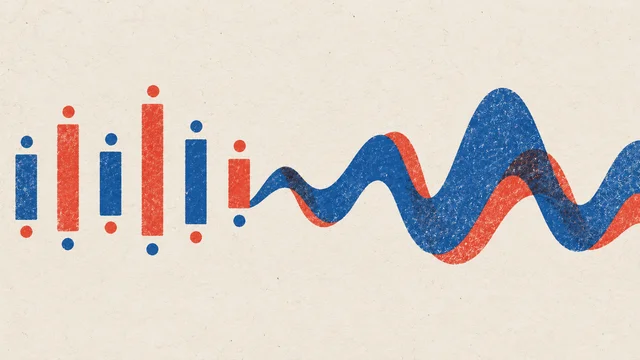
- Onsets are every place a new sound starts: each kick, snare and hat. Finding them is onset detection. It's what you want for slicing a drum loop into hits.
- Beats are the steady pulse you'd tap your foot to, picked out of all those onsets. Finding them is beat tracking.
- Downbeats are the beats that start each bar, the "one". Finding them is downbeat tracking, and it's what lets a tool say where a four-bar loop should begin.
- Tempo is how fast the beats go, in beats per minute. Estimating it is tempo estimation. It's a summary of the beats, not a fifth kind of event.
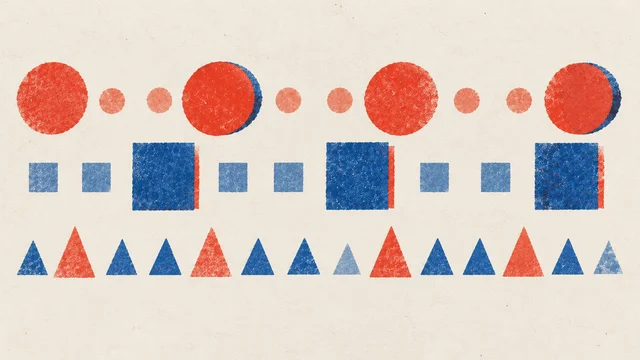
Same two bars, four answers
Look at the two middle lanes. Every beat at 70 is also a beat at 140. They're two levels of the same pulse, like the same melody sung an octave apart. Your body chose one; the tracker chose the other.
How does a model find the beat?
Most current beat trackers are trained models. They're shown thousands of recordings that people have annotated beat by beat. The audio goes in as a picture of energy over time and frequency (a spectrogram-like view), and for every short slice of time, often a hundredth of a second or so, the model answers: is this a beat, a downbeat, or neither? ML people call that sequence labelling: one label per moment, in order. A small final step picks the peaks and turns them into a list of times.
That training is why trackers are good at what's common in their examples, and why they agree with the people who did the annotating. It's also why their mistakes follow the music rather than chance. Beat This, an open-source tracker from the Institute of Computational Perception at Johannes Kepler University Linz (published in 2024), is one example; it's the model inside Maru's StemSep when you ask it to track beats. Most DAWs do a version of the same job when they place warp markers on a loop you drop in.
Same idea, different place: a pitch model that writes a note an octave too high has made the same kind of mistake as a tracker that reports double tempo. Both picked a level of a stack that really is in the sound. See What an audio model learns.
Twice as fast, half as slow
When a tracker reports twice or half the tempo you feel, that's called an octave error in tempo, borrowing the word from pitch. It's the most common disagreement between trackers and people, and also between people and other people. Researchers who measure these tools usually report two scores: one that counts only the exact tempo the annotators tapped, and a more forgiving one that also accepts double and half. They do that because the "wrong" answer is often a musically reasonable one.
You heard why in the lab. Hats every eighth note invite you to count fast. A snare on beat three invites you to count slow. Drum and bass at around 170 BPM often has a half-time feel at 85; a slow soul ballad in 12/8 can be counted in four slow beats or twelve quick ones. The tracker has to choose, and so do you.
So when the number is off by exactly two, don't fight the tracker. Decide which level you want for the job. For a delay, the faster level gives you shorter echoes. For bar-length loops, either works as long as the downbeat is right.
Where trackers get lost
Octave errors are a choice of level. These are real losses, where the grid stops lining up with the music.
- Swing. In a swung groove, every second eighth note lands late. A tracker can mark those late hits as if they were even, or wobble between levels. If the long-short pairs of swing are new to you, they're worth hearing first.
- Syncopation. When the strongest hits avoid the beat, the tracker can follow them instead. Reggae's one drop puts the kick and snare on beat three and leaves beat one almost empty, which can pull a downbeat tracker two beats late. Busy off-beat patterns can also add extra beats between the real ones.
- Rubato. A pianist who leans into a phrase and then pulls back is speeding up and slowing down on purpose. A tracker that expects a steady tempo smooths that away, or lags a beat behind each change.
- Bars that aren't four. "Take Five" counts five beats to the bar. Many trackers find the beats fine and still guess the "one" wrong, because most of the music they learned from is in three or four.
- No beat at all. An ambient pad, a rubato intro, a breakdown with only a vocal: there's nothing to track, and some tools will still invent a grid.
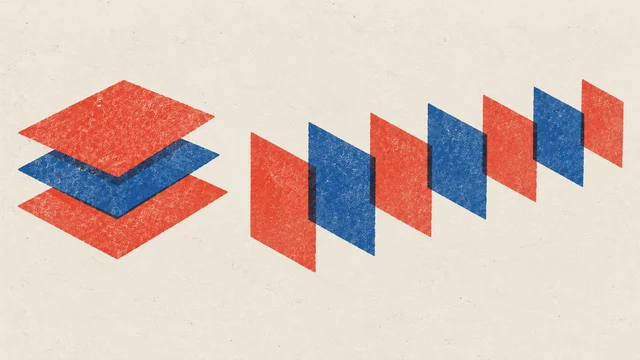
A pianist's tempo, and a steady grid
None of these make the tracker useless. They tell you where to listen first when you check its work.
What a beat grid is for
Once you have beats you trust, a lot of time-based work becomes arithmetic. One beat lasts 60,000 ÷ BPM milliseconds, so a grid at 120 BPM hands you 500 ms for a quarter-note echo and 250 ms for an eighth. Delay and echo shows how an echo set to one of those numbers sits in the groove, and how one that came from nowhere trips over it. The grid's job is to give you the right number: it turns "set the delay so it sounds right" into something you can type.
The same grid does the rest of the everyday jobs:
- Warping. Stretching a recording so its beats line up with your project's bars, which is how a sample at 93 BPM sits in a track at 100.
- Slicing. Cutting a drum break at its onsets or beats, so each hit can be replayed, reordered or swapped.
- Looping. A loop that's exactly two bars long closes cleanly. A loop that's a little long drifts against everything else every time it comes round, and the grid tells you the length to aim for.
- Quantizing transcriptions. Notes from a recording only snap to bars if the bars are where the music really is. Snapping a hummed melody turned into MIDI to a wrong grid moves every note in the wrong direction.
Check a grid by ear
A beat grid always looks tidy. Lines are evenly spaced whether they're right or wrong. So check it the way you'd check a drummer: by listening to a click against the music.
- Start, middle and end. Listen for ten seconds at each. A grid that's perfect at the start and late by the last chorus has the tempo slightly wrong; a grid that wanders in the middle is following a section the tracker found hard.
- The downbeats. Is the loud click on the "one"? If every loud click lands on beat three, the beats are fine and only the bar is shifted, a one-step fix.
- The hard spots. Breakdowns, intros, fills and tempo changes. That's where a tracker with no beat to follow invents one.
- The level. If the click is twice as fast as you'd count, decide whether that's fine for what you're doing before you correct it.
Use a short, dry click and keep it a little quieter than the track. A loud click hides the music you're checking it against.
Make it yours
Pick a song you know well, ideally one with a clear groove and one awkward moment: a breakdown, a swung section or a tempo change. Open StemSep, load the song and choose Track beats in mix. Then separate the stems, with a local method if you'd rather the song stayed on your computer, and run Track beats in drums too. Before you press either, predict where the grid will go wrong, and whether the drums alone will give a steadier answer than the full mix.
The beat tracking runs in your browser. Export the beat grid as MIDI and put it against the song in your DAW: it's a side-stick click at the times the model found, with louder downbeats. The file holds those times, not a tempo setting, so leave your project tempo alone when you import it, or the clicks will move. Listen at the four checkpoints above and fix what's wrong.
Then work out the song's beat length in milliseconds and set a delay to it. Save the checked grid and that one number together: next time you remix or play over this song, the timing work is done.
Quick check
- An app says your track is 174 BPM. You've always felt it at 87. Who's right? Both. 87 and 174 are two levels of the same pulse, and trackers and listeners disagree about levels all the time. Choose the one that suits the job: 87 for half-time effects and bar counting, 174 for short echoes.
- A grid lines up perfectly at the start of a song and is clearly late by the end. What's wrong? The tempo is a fraction off, so the error adds up every bar. If the song itself speeds up, as live bands often do, a single tempo can't follow it; you need beats that move with the music rather than one number.
- On a reggae track, every loud downbeat click lands on beat three. Is the tracker useless here? No. The beats are probably right and only the bar is shifted, because the one drop puts its strongest hits on three. Move the downbeat and keep the beats.
Next steps
- Use it: Beatbox to drum pattern. The grid tells you where the beats are. Turning mouth sounds into kicks, snares and hats tells you what's on them.
- Go deeper: How models see audio. What the tracker actually looks at, and why a quiet hi-hat can be invisible to it.
- Sideways: Chord and key recognition. Chord recognizers lean on the same beat grid to decide where one chord ends and the next begins.